



Online Security: How to Protect Yourself in a World Where Everything About You Is Already Known
In everyday life, people are cautious: they check the door lock several times, never open the door to strangers, and always keep their wallet in an inner pocket. Yet online, this vigilance seems to disappear. Passport photos are stored in t...

Author
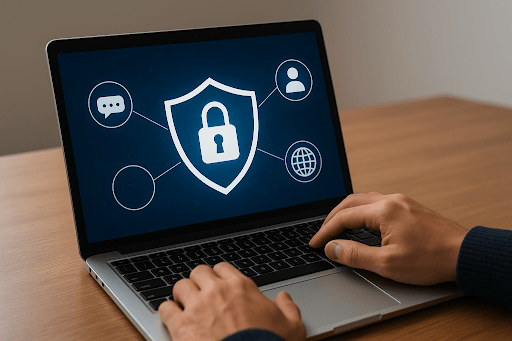
In everyday life, people are cautious: they check the door lock several times, never open the door to strangers, and always keep their wallet in an inner pocket. Yet online, this vigilance seems to disappear. Passport photos are stored in the cloud “just in case,” connections are made to any free Wi-Fi network, and emails “from the bank” are trusted without hesitation. One day, the result is predictable: no money, and no access to a long-standing social media account. This may sound banal, but such stories occur every single day.
We like to imagine hackers as geniuses in hoodies breaking into Pentagon servers. More often, however, they are simply collectors of digital debris—the debris we leave behind ourselves. Your password “123456,” an open banking session on public Wi-Fi, a photo of a ticket showing your vacation dates—this is their primary weaponry. The internet has long since become a real world with real threats. And your security is not a program you install and forget. It is a form of daily digital hygiene.
Are you ready to stop being easy prey? This guide is not a set of boring instructions, but a collection of tough yet honest rules of the game—where the stakes are your money, your reputation, and your peace of mind.
Micro-stories That Happen in Real Life
Story No. 1: One photo of a passport left in the cloud—and a loan is taken out in your name. The process takes 15 minutes.
Story No. 2: One login to your email from someone else’s computer without checking “Public computer”—and a stranger is reading your correspondence.
Story No. 3: One click on the link “See which of your friends has died”—and your computer quietly starts mining cryptocurrency for someone else.
1. The Password “123456” Is Not a Password. It’s a shout of “Come in, I’m Home!”
Do you know the most popular password in the world? Correct: “123456.” It is used on more than 100 million accounts. Cracking it takes seconds for any automated program. This is security at the level of a paper door.
What should you do? Create a key, not a “little word.”
- Long: at least 12 characters—the more, the better.
- Complex: a mix of uppercase and lowercase letters, numbers, and symbols such as “@” or “!”.
- Unique: a different password for every important service (email, banking, social networks).
A practical note for the busy: forget about sticky notes under the keyboard. Use a password manager. It is your personal digital safe that generates and stores complex combinations for you. You only need to remember one master password. And yes—passwords, like toothbrushes, should be changed regularly. At least once every six months.
2. Antivirus Software Is Not for “Nerds.” It’s Like Washing Your Hands
Malware targets everyone. Modern antivirus software is not merely a “healing utility,” but a comprehensive security system. It scans files, blocks phishing websites, warns about data breaches, and prevents spyware from monitoring your activity. However, even the best antivirus is useless if it is not updated. New threats emerge daily; your protection must stay one step ahead.
3. Someone else’s computer is a High-Risk Zone. Always Mark It as Such
Checking your email at a friend’s place? Using a hotel computer? Always—without exception—select the option “Public/Shared computer” when logging into any account. This prevents the browser from saving your passwords and session cookies. Even if that computer later becomes infected, your data will already be protected.
4. HTTPS and the Lock Icon: Two Guards at the Entrance to Your Digital Bank
Before entering a login, password, or card details, look at the address bar:
- The address must begin with https:// (the “S” stands for secure).
- A lock icon should appear next to it. Click it to view certificate details.
- Carefully read the website name. Fraudsters create clones by changing a single character: ka§persky.com instead of kaspersky.com. Do not fall for it.
If these signs are missing, the site is unsafe. Close the tab.
5. Free Wi-Fi Is a Trap with Bait. Become the Predator, Not the Prey
A network named “Free_Airport_WiFi” is not a gift of fate—it is an open hunting ground for attackers. They can intercept unencrypted traffic, serve fake login pages, or even create their own “free” networks to harvest data.
Survival rules for public networks:
- Allowed: reading news, watching videos.
- Forbidden: online banking, shopping, entering passwords.
- Lifeline: a VPN. It creates an encrypted tunnel for your data even on unsafe networks. No VPN? Postpone important tasks until you get home.
6. Your Documents Are Not for Public Galleries
Photos of passports, driver’s licenses, or tickets are a gold mine for criminals. With such data, they can take out loans, buy goods on credit, or sell the information on the black market.
Where documents should not be stored:
- In cloud services (Google Drive, Yandex Disk) without additional encryption.
- In messaging app conversations.
- In email—especially in the “Sent” folder.
If you must send them: compress the files into a password-protected archive and send the password separately (for example, by phone). Afterwards, delete the email yourself and ask the recipient to do the same.
7. Social Networks Are Not Confessional. Limit Your Disclosure
You do not shout your vacation dates and home address in the street. Online, the same rule applies. Excessive information is a vulnerability.
What should be hidden from public view:
- Exact home address and work schedule.
- Phone number (use a separate SIM for public activities).
- Photos of documents, tickets, or the interior of your home.
- Posts like “Hooray, we’re leaving for two weeks—the apartment is empty!”
Go into privacy settings and limit who can see your posts, photos, and friends list. Create a separate email address for registrations, forums, and deliveries.
8. Emails from “Banks” and “Princes” Belong Straight in Spam
Phishing is the primary tool of online fraud. Attackers impersonate banks, government agencies, or acquaintances.
Common warning signs:
- Generic greetings like “Dear customer” instead of your name.
- Artificial urgency and panic (“Update your details immediately or your account will be blocked!”).
- Suspicious links.
- Spelling mistakes and awkward phrasing.
Correct response:
- Do not click links.
- Do not download attachments.
- If unsure about a message from a bank, open the official app or call the number listed on the bank’s website.
9. Unknown Links Are Like Candy from a Stranger. Don’t Take Them
Someone sends you a “funny video” or a “sensational link”—even a friend? Ask first what it is. The friend’s account may have been compromised and used to spread malware. Free giveaways, unexpected winnings, and shocking headlines are classic bait for stealing data or infecting devices.
10. Child Mode: Teach the Rules to Those Just Starting Out
A child online is the most vulnerable user. The goal is not constant surveillance, but education.
Explain in simple terms:
- A password is a club secret. It is not shared with anyone—even best friends.
- Personal information is for family only. No posting photos that show addresses, school names, or relatives’ faces.
- Strangers online are the same as strangers on the street: no meetings, no photos, no intimate conversations.
- Anything strange or frightening—come to me immediately. You are the primary lifeline. A child must know they can talk about any problem without fear.
Conclusion: Security Is Not an App, but a Mindset
You can surround yourself with the best security software and still scatter personal data carelessly. The most important antivirus runs between your ears: attention, skepticism, and healthy habits.
Start with five simple steps today:
- Review and update passwords for email and social networks.
- Check privacy settings on platforms such as VKontakte, Instagram, or Facebook.
- Remove photos of documents and tickets from cloud storage and email.
- Enable two-factor authentication wherever possible.
- Talk to children about online rules—without lecturing, as equals.
The digital world is a remarkable place. Let your presence in it be safe, informed, and calm. And let scammers look elsewhere for easier prey.
-
 Culinary RecipesEveryone’s Favorite Pancakes: an Interesting History and a Classic Recipe
A pancake lies on your plate—modest, golden, smelling of childhood and butter. Don’t be fooled. It’s one of the oldest gastronomic t...
23 Jan 2026, 11:24 -
 ReligionHoliday Prayer (Ṣalāt al-ʿĪd) in Islam: Structure, Symbolism, Significance
There arrives that singular dawn when the air seems to vibrate with quiet joy. Cities and villages still slumber, yet in Muslim homes lights begin to...
23 Jan 2026, 08:00 -
 ReligionBeginning the Day with Worship: On the Morning Prayer
Once, at the very break of dawn, when the world stood still in anticipation of the first ray of light, the Prophet Muḥammad (peace and blessings be up...
23 Jan 2026, 06:48